 Login
LoginKids are pretty excited to get the old car out for spring
10 March 2026 at 00:02
Kids are pretty excited to get the old car out for spring
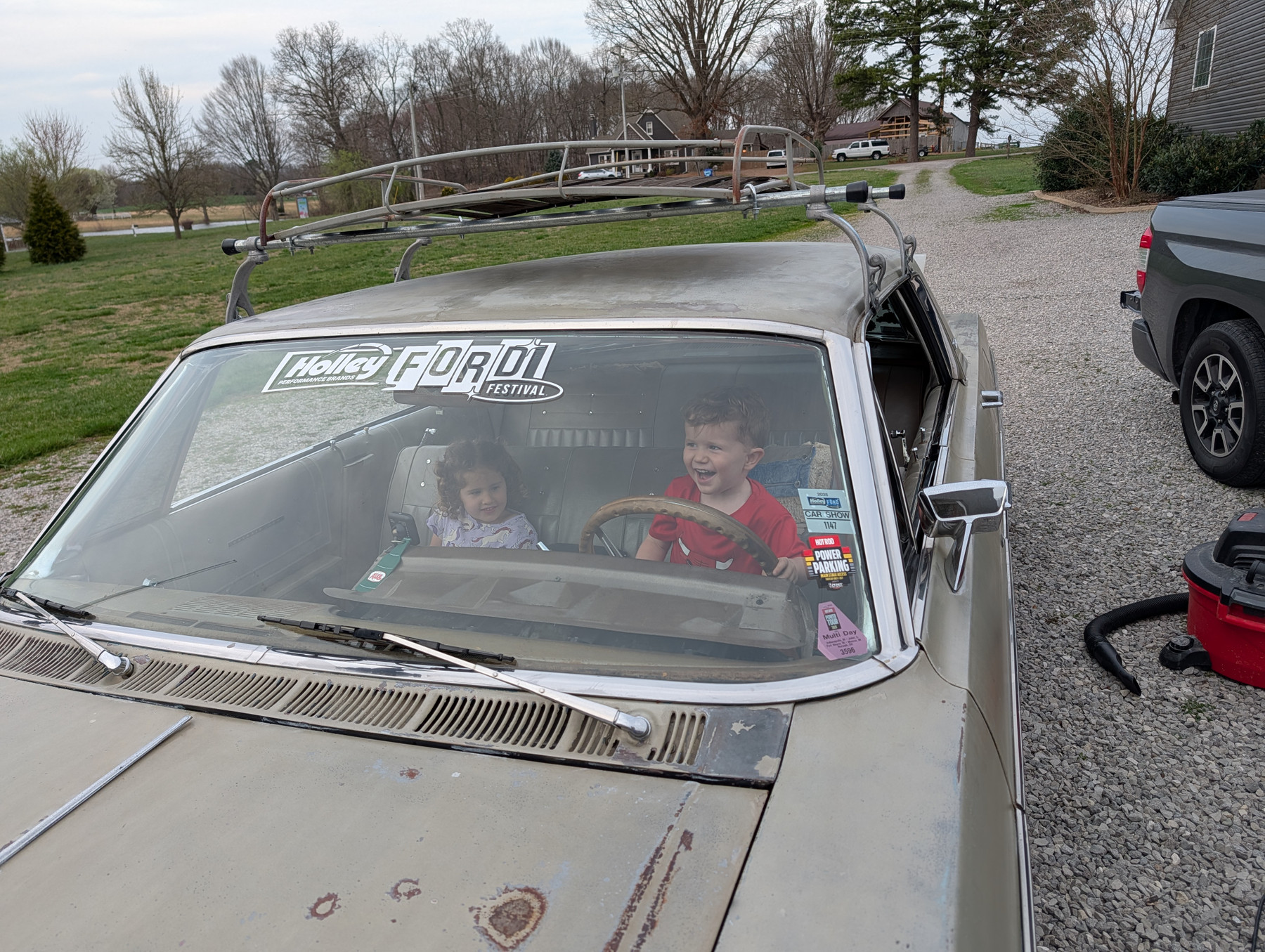



Kids are pretty excited to get the old car out for spring
Here are a few of the more noteworthy happenings of the last few weeks.
🌵 Continuing our stay here in Arizona, where the winters are much more appealing than Ohio’s despite reaching some chilly temperatures at night. I’ve gotten out for a few nice bike rides (including getting my first flat tire ever) and scenic hikes. We’ve been spending a lot of time getting our new (to us) place in shape—a few repair and update projects and a bunch of new furniture. It’s starting to feel like it’s “our” place.
🍸 Our new neighbors have a daily (yes, daily!) happy hour, which is sometimes referred to a “circle time.” Everyone has been very welcoming and it’s been a great way for us to get to know the folks on our street. I’ve learned pretty quickly that drinking alcohol every day is not the path to wellness, so I’ve dialed that back significantly!
✝️ Probably inspired by all the religious-oriented fiction I’ve been reading lately (see below) I launched Saint Bot, a Mastodon bot that posts daily blurbs about Catholic Saints. Follow along, if that’s your jam.
📚 I finished three books in the last few weeks. (I guess that’s where some of my time has gone lately!) Kitchen Confidential by Anthony Bourdain, Sign of the Cross by Glenn Cooper, and Three Marys by Glenn Cooper. All were very entertaining. (Links are to my mini reviews if you want to know more.)
🧠 While my body may not be getting quite the attention it needs, I have been spending time exercising my brain. In the hope (possibly in vain) of preventing dementia, I continue to do the workouts and puzzles in Elevate, where I recently completed my 500th workout. I’m also continuing to resuscitate my Spanish language skills, and just completed my 100th day in a row of studying with Mondly. I feel like I’m getting value for both paid subs.
That’s probably enough for today. Thanks for reading. See you next time.

It’s always such a pleasure to find out when one of my favorite developers has released a new app. That’s how I felt recently, when I read that The Low‑Tech Guys not only had a new app but that it was going to be a pretty strong player in the Mac automation field. That prompted me to approach the lead developer to learn more about the past, present and future of the company. But first, the apps.
Crank acts on triggers you define to take action without requiring user intervention. It’s more powerful than just Apple Shortcuts or Shortery, but at just €8 for a five-seat lifetime license, it stops short of Keyboard Maestro’s complexity and price.
Crank can do all of this and a lot more:
It was the quality of Low Tech Guys' previous applications that made me happy to hear about their new release. I first encountered one of their apps a couple of years ago when I discovered Clop. Since then, I have systematically gone through their portfolio to take advantage of the extremely useful, free, and low‑priced powerhouses they’ve developed.
If you’ve ever wished your external monitor behaved more like a MacBook display, you’ve probably encountered Lunar, the powerful monitor control utility from developer Alin Panaitiu. Over the past several years Alin has quietly built a small ecosystem of thoughtful Mac tools including Clop, rcmd, Crank, and others that focus on real workflow problems rather than novelty.
I asked Alin about how he got started, the challenges of building hardware-adjacent Mac apps, and what he’s working on next.
I got started in 2017 after buying my first external monitor for my MacBook; an LG 4K display with USB-C.
It was a great monitor, but something felt off. Unlike the MacBook, it had no adaptive brightness. In fact, the brightness couldn’t be adjusted at all.
That sent me down the rabbit hole. I discovered DDC, the protocol used to control monitor settings, and started building Lunar so my external monitor could adapt its brightness automatically.
For about four years Lunar was completely free and open source. In 2021 I took the leap, quit my job as a Python engineer, and started working full-time on the paid Lunar Pro tier.
You can read the full story here:
https://alinpanaitiu.com/blog/journey-to-ddc-on-m1-macs/
“I discovered DDC and started building Lunar because I wanted my monitor to adapt its brightness automatically.”
Yes; if you can call it a normal job.
It’s my only source of income and where most of my effort goes. But the rhythm isn’t typical.
Sometimes macOS changes break something important and I end up working 14-hour days. Other weeks are quieter; answering support emails and fixing the occasional bug.
Which of your apps has been the most challenging to build?
Lunar, without question.
It operates very close to hardware; communicating directly with monitors, Raspberry Pis, and ESP32 chips. That’s very different from most macOS software.
Hardware is unpredictable. Firmware quirks, kernel panics, monitors that stall or behave strangely; problems that only occur on a particular user’s setup.
Those are incredibly difficult to debug because they can’t always be reproduced locally.
“Hardware can be unpredictable; stalling, kernel panics, wrong firmware, missing bits. Things that only happen on a user’s very specific setup.”
Sindre Sorhus for building an enormous ecosystem of Swift packages that macOS developers rely on, including Defaults and Hotkeys.
I also admire Ryan Hanson for creating Superkey, which finally allowed me to ditch Karabiner-Elements.
And Saagar Jha, whose work on macOS reverse engineering taught me a great deal.
No new apps for the moment. Crank and Pipiri took a lot of effort and I’m a bit drained right now.
Instead I’m focusing on rcmd v3 and Clop v3.
rcmd v3
The next version of rcmd will include:
• Native window switching
• Launching apps by holding rcmd and typing letters
Example: rcmd S P O launches Spotify
• Window search with quick typing
Example: rcmd X C jumps to Xcode → Crank window
• Searching windows by title
• Stages; saving sets of apps and windows as workspaces
• Instant switching between stages using rcmd + letter
• Optional trigger keys such as Caps Lock or Fn
Clop v3
Clop is moving toward a pipeline-based optimization system where multiple file operations can happen without repeatedly re-encoding data.
Example workflows might look like:
Images dropped into ~/Desktop/blog
• optimize
• resize to 1600px width
• convert to WebP
• move to ~/Projects/blog
Videos dropped into Dropzone
• optimize using a high-quality encoder
• speed up to 1.5×
• remove audio
• upload with Dropshare
• copy the URL to the clipboard
PDFs dropped into an Invoices folder
• optimize
• crop to A4
• extract text to a file
Other improvements include a dropzone that appears near the cursor and better support for external storage.
You can read that review here:
https://appaddict.app/post/new-file-finding-app-cling-is-not-everything
Cling is something I still want to develop further, but time is the limiting factor.
I started building a custom fuzzy indexing engine for it and got about 90% of the way there. As usual, the last 10% is the hardest.
The goal is to remove external tools like fzf and fd and bring everything directly into the app with faster and more accurate results.
Right now the fzf scoring algorithm simply isn’t well suited to what Cling is trying to do.
2026-04-02 - Update - (From Reddit) Spotlight doesn't index files like hidden dotfiles (~/.config), System frameworks, root configs and binaries, .plist preference files etc. That means apps that rely on the Spotlight index like Raycast or Alfred also can't find these files.
Cling brings its own custom index made specifically for the macOS filesystem, which allows you to fuzzy search any file that exists on your Mac.
Comparison:
Spotlight, Alfred, Raycast can only find apps and files in the home directory and the fuzzy algorithm isn't as fuzzy as I like it to be.
ProFind, HoudahSpot, EasyFind, Tembo, Find Any File: these are a lot more capable than Cling in narrowing down a specific search based on file metadata, Cling is more for fast search by name.
Cardinal is the only app I know that is closest, very similar. Some 2.0 additions in this app like the live index view were inspired by it. Cling focuses more on actions while Cardinal focuses on adding some metadata to the index.
Features:
Pricing: €12 for a lifetime license on up to 5 Macs
There's a 14-day trial that starts automatically on launch. After the trial, the app keeps working in Free Mode where you can still fuzzy search files but only in Home and Applications.
Link: https://lowtechguys.com/cling Source code: https://github.com/FuzzyIdeas/Cling
My original Clop review:
https://appaddict.app/post/clop-copy-big-paste-small-send-fast
Tax laws in my country changed significantly, forcing me to move from an LLC to a sole proprietorship.
To simplify accounting I consolidated everything under Paddle.
That meant ending contracts with Setapp, Apple distribution agreements, and other marketplaces. As a result, my apps are now free on the App Store, while paid licensing is handled through Paddle.
I don’t expect that arrangement to change anytime soon.
Talking with Alin, a theme keeps surfacing: the most useful Mac utilities often come from developers scratching their own workflow itch. Lunar began with a simple frustration; an external monitor that couldn’t adjust its brightness.
Since then that curiosity has grown into a small but influential set of tools used by Mac power users around the world. And if the roadmaps for rcmd v3, Clop v3, and eventually Cling are any indication, Alin is far from done refining the Mac experience.
For users who care about thoughtful utilities and deep macOS integration, his work is well worth watching.
