 Login
Loginฅ՞•ﻌ•՞ฅ time to see what all the hype with Pokopia is about...
14 March 2026 at 01:52
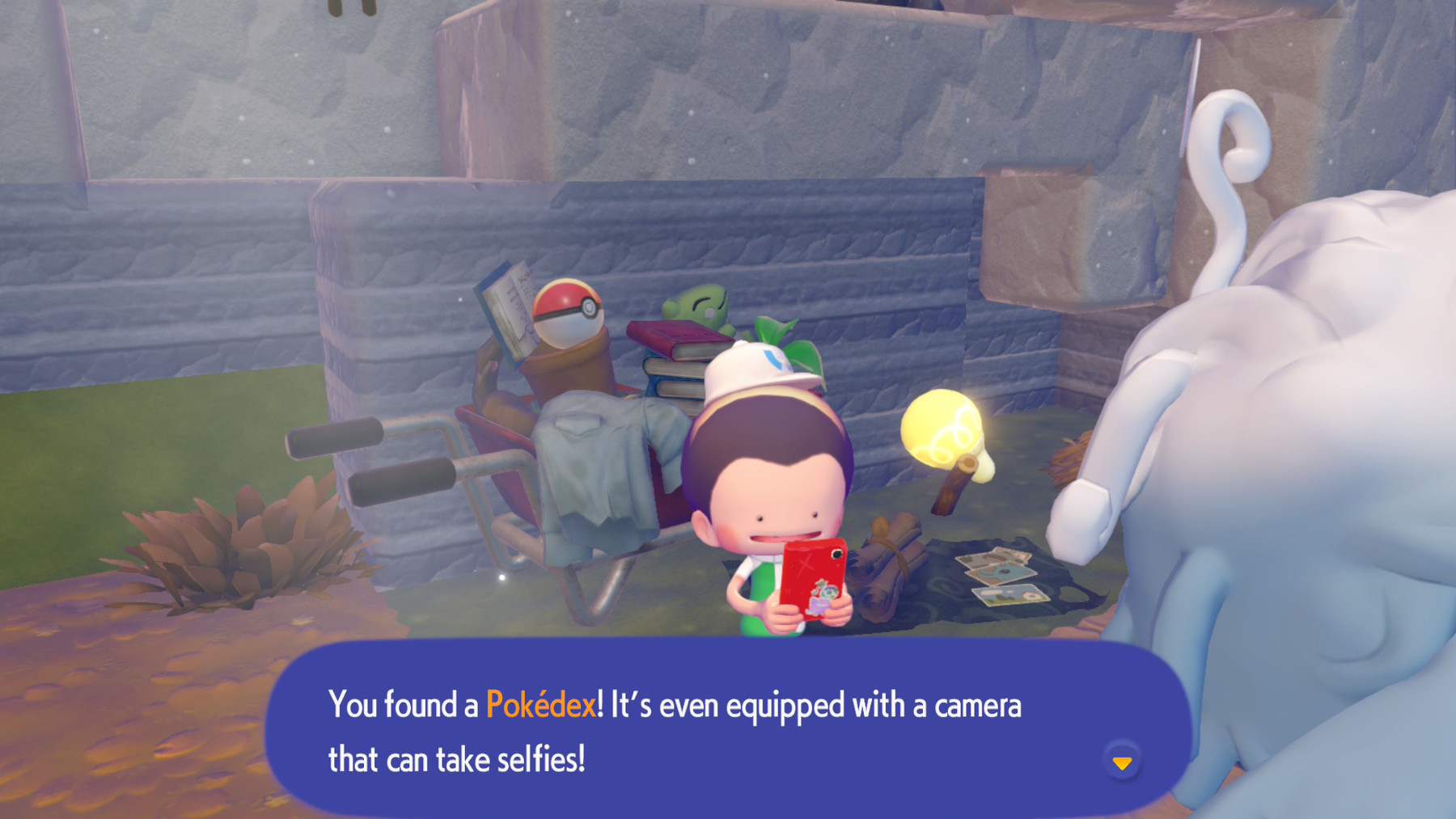
ฅ՞•ﻌ•՞ฅ time to see what all the hype with Pokopia is about. I tend to like non mainline Pokemon games, so I'm pretty excited.


ฅ՞•ﻌ•՞ฅ time to see what all the hype with Pokopia is about. I tend to like non mainline Pokemon games, so I'm pretty excited.
Oh lord, he is so derpy 😂

If you’re in the USA you’ve probably seen the Progressive Insurance commercials depicting Dr Rick, a man on a mission to help 30- and 40-somethings un-become their parents. I think they’re hilarious, but I’ve noticed that some people take them personally.
Despite all that, it semms inevitable that we all are doomed to channel at least some of our parents’ behaviors as we get older.
To my perennial horror, I frequently notice myself using gestures are turns of phrase that I absorbed from my father.
But this week I had a particularly startling revelation, and it didn’t arrive until long after the fact.
Let me back up and give you some background, in succinct bullet list form:

A week or so ago, I was getting ready to leave with a group on one of our weekly hikes. At the last minute, I realized that my hat might be in danger so I rummaged around the shed to see if I had something to fashion a makeshift chin strap.
I didn’t find any old shoe laces or leather cord. Nor could I find any beads.
🚩 This right here, this should have been my warning sign to stop and go do something else.
But I persisted.
To my delight, I found some string and a hex nut.
You read that right: A HEX NUT.
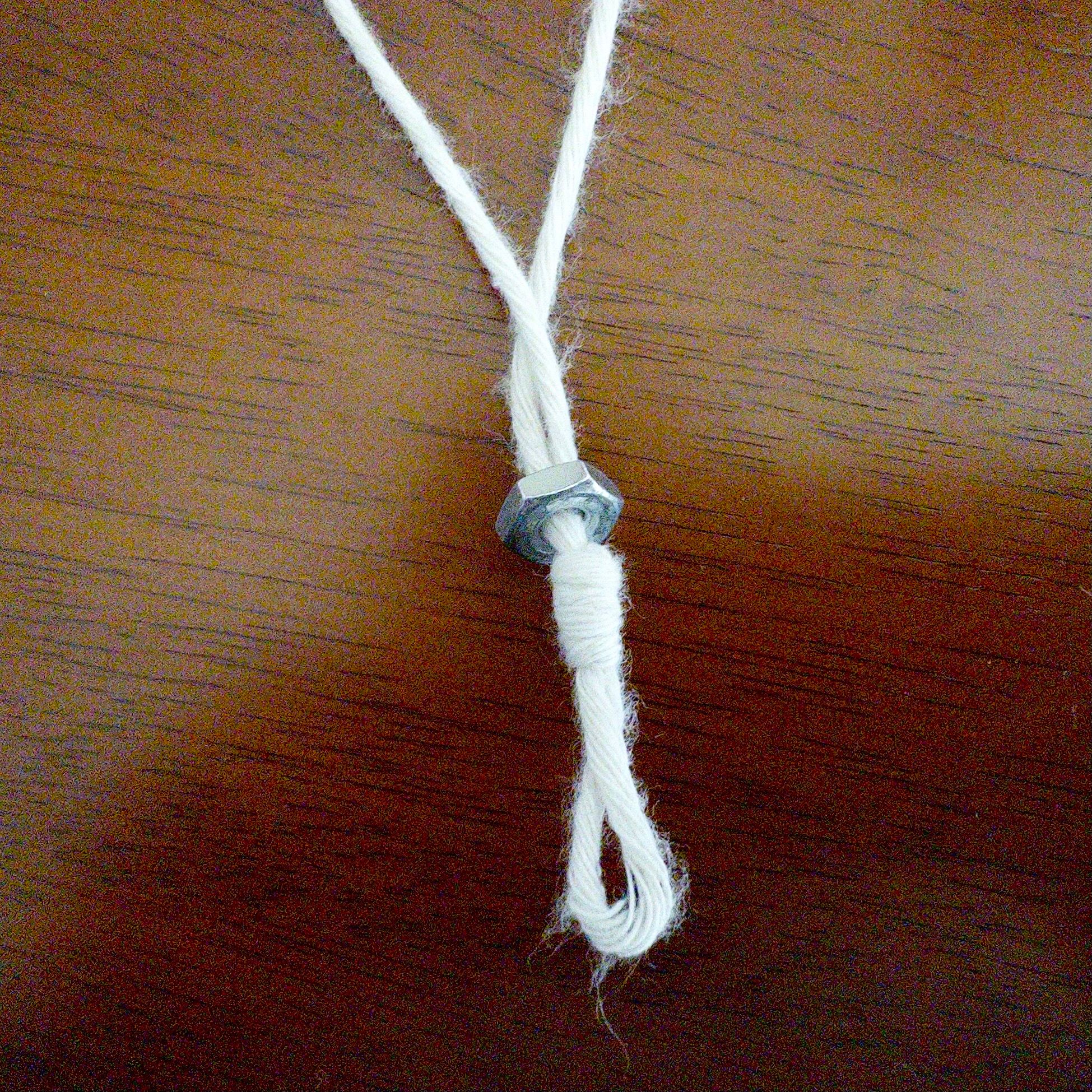
This will work! I thought as I hastily accessorized my headwear. Success! The wind would not beat me on this day.
As an impromptu response to an urgent situation, this probably was okay. But it’s been two weeks now and the string and nut apparatus is still attached to my hat.
This is totally something an old man would do. This is not what cool dads do. I’ve wandered into “Okay, Boomer” territory.
I’m beside myself with a strange mix of pride (for my resourcefulness) and shame (for, well, you know).
I need Dr Rick.
Hi everyone, I have no idea if this is the right way to do this, but wanted to update that Michael has passed. He was surrounded by his family when it happened and lots of friends and family were able to come and say goodbye prior to his passing. I didn’t know much about his blog, but he deleted his Facebook and Instagram last like two weeks ago, so this was the best option to inform any online friends. I hope some of you got some joy from reading his posts, I think he really enjoyed writing them. If you want to do something in honor of Michael, please make a donation to St Jude, I believe he has it linked on his homepage.
-Katie B, Michael’s daughter













When I bought my last new Mac two years ago, I set it up the way I had been setting up my personal computers for years: plug in a Time Machine drive and run Migration Assistant. On a modern Mac with an SSD, even if you have hundreds of apps installed like I do, the whole process takes about 20 minutes. It recreates your Applications folder, brings over preferences, and generally makes the new machine feel finished almost immediately.
Nothing could be easier.
There is a downside, though. Migration Assistant faithfully brings over all the accumulated cruft along with the good stuff. That’s how I ended up with Keychain entries for wireless access points I installed in 2014, and references in ~/Library/Application Support to apps I haven’t touched in years.
UPS is dropping a Mac mini on my doorstep sometime this morning. For the first time in a long time, I’m not going to use Migration Assistant.
Thanks to tools like Updatest and Cork, I’ve moved every application that can be managed by Homebrew into that ecosystem. On my current machine that covers 212 GUI apps plus 260 CLI packages and dependencies.
Recreating that environment on a new Mac is trivial.
To back up your current setup:
brew bundle dump
To install everything on a new Mac:
brew bundle install
By default, Homebrew can also install Mac App Store apps using the mas CLI. The generated Brewfile is plain text and extremely easy to edit if you want to remove anything before installing.
A small sample looks like this:
cask "gechr/tap/whichspace"

cask "wifi-explorer"

cask "wins"

cask "xbar"

cask "xnconvert"

cask "xnviewmp"

cask "zen"

cask "zotero"

mas "Acidity", id: 6472630023

mas "Actions", id: 1586435171

mas "Actions For Obsidian", id: 1659667937

mas "Amphetamine", id: 937984704

mas "AppTela", id: 6752568197

mas "AutoMounter", id: 1160435653
If you don’t use Homebrew, you can still automate Mac App Store installs directly with the mas CLI.
To export a list of installed App Store apps:
mas list | cut -d' ' -f1 > mas-app-ids.txt
To install them on a new Mac:
xargs -n1 mas install < mas-app-ids.txt
To identify apps that were installed outside Homebrew or the Mac App Store, run:
system_profiler SPApplicationsDataType -json > installed-apps.json
Open the resulting JSON file in a text editor like BBEdit. Any app showing:
_“obtained_from” : “identified_developer” _
was installed directly from a developer download and will need to be reinstalled manually.
Applications are the easy part. Configuration is harder.
Just entering license keys and registration details for my paid apps could easily take hours.
I briefly looked at Mackup, but it doesn’t seem well suited for a GUI-heavy workflow like mine. A more modern tool, chezmoi, looks promising for exporting and restoring my dotfiles, including things like:
• .zshrc
• .gitconfig
• ~/.ssh/config
• .config/nvim/init.vim
For everything else, my plan is simple: build a small set of rsync jobs by hand and move over only what I actually need.
To avoid permission issues and sandbox quirks, I’ll launch each application once before restoring its configuration so macOS creates the necessary directories:
~/Library/Application Support/
~/Library/Preferences/
~/Library/Containers/
~/Library/Group Containers/
Because I run a heavily automated setup with apps like Keyboard Maestro, BetterTouchTool, Hazel, and Raycast, I’ll rely on their built-in export/import features rather than trying to automate those configs.
It’s technically possible to script the capture of a large number of system settings. In practice, the time it would take to build and debug that script would probably exceed the time it takes me to reconfigure things manually.
Earlier in my career in edtech, I spent a lot of time doing large-scale Mac deployments. The workflow was simple: build a golden image and deploy it hundreds of times using NetBoot to whatever hardware the district had just purchased.
Later we moved to modern deployment systems like Jamf.
If you need 900 eMacs unboxed and deployed, I’m your guy.
Highly opinionated personal setups like the ones most of us run on our own Macs are a different animal entirely. There’s no universal image for that kind of machine.
But there’s a lot we can learn from each other about building reproducible setups that stay clean over time instead of dragging a decade of digital barnacles from one Mac to the next.
😩 Been a stressful few days at work, looking forward to the weekend!
Quick bath for Aleanor

I’ve been hearing about Octarine for a while. It’s one of those apps that people whose opinions I respect talk about with a certain level of admiration. After testing it as thoroughly as I’ve tested any app in a long time, I understand why.
Octarine is a tool for creating, editing, and organizing text-based information using connected but independent documents: Markdown files. Without relying on plugins, it supports images, video, PDFs, and files created by other productivity apps. Those files can be linked inside Octarine but still open in their native applications.
Octarine isn’t designed for a single purpose. It’s more like a flexible Markdown workspace you can adapt to several overlapping uses:
Octarine is available for Windows, Linux, and macOS, but it’s not a heavy Electron app. The download is just over 30 MB, and it launches as fast as TextEdit; effectively instant.
The interface is tab-based, similar to a web browser. It isn’t strictly native macOS UI, but it’s clean, responsive, and supports customizable themes.
Installation on the Mac is simple:
That’s it.
When you launch it for the first time, Octarine asks you to open or create a Workspace. A workspace is simply a folder of Markdown files; either ones you create or notes that already exist somewhere on your Mac.
You can download, install, and configure Octarine in well under a minute and immediately start creating documents.
A key design choice is that Octarine uses the filesystem directly. Your workspace is just a folder containing Markdown files with human-readable filenames.
That means:
I verified this by opening a note in Typora, adding a table, and watching it render instantly inside Octarine.
Because everything lives in normal folders and Markdown files, syncing is straightforward. You can use:
The Git support also provides versioning for people who want a real audit trail for their notes.
Like most PKM-oriented tools, Octarine supports wikilinks. Typing [[ opens a searchable list of notes in the workspace. If you bracket a title that doesn’t exist yet, Octarine offers to create the note.
There’s also a knowledge graph showing connections between notes. Just remember: posting screenshots of your graph online costs you several internet credibility points.
Most formatting tools are accessible through a slash command menu (/), which exposes a wide range of Markdown and extended elements:
You could easily use Octarine purely as a writing tool. It’s a full Markdown editor with live rendering similar to apps like Typora.
Under the hood, however, the file remains a plain text Markdown document. You can open it in BBEdit, import it into Obsidian, or process it with any other Markdown tool.
Octarine also converts pasted HTML into Markdown, preserving elements such as headers, links, bullet lists, and text styles.
The left sidebar provides a file tree for navigating your workspace. Nested folders work exactly as you’d expect.
When you attach files such as images or PDFs to a note, Octarine automatically creates folders to store them.
Octarine also supports seven types of metadata, which can be used to organize and filter notes.
The most powerful organizational feature is something called Views.
Views are dynamic, database-style tables that display notes based on filters, sorting rules, and custom columns.
Think of them as smart saved searches that update automatically as your notes change.
Tagging is also well implemented. Tags are clickable throughout the interface, and a Tag Manager provides a centralized list of every tag in your workspace.
Octarine includes optional AI integration.
It works with:
AI operates within the context of the current note, allowing it to generate, rewrite, summarize, or refine content.
Like most AI writing workflows, the real learning curve comes from developing reusable prompts that produce consistent results.
Pro users can also download a 90 MB local model that can index an entire workspace to provide additional context-aware features:
Each message shows the sources used (folders, notes, or date filters). Icons and hover cards reveal the details.
A list shows which notes were consulted to answer your query.
Responses can be copied as Markdown or plain text.
Titles are generated automatically after the first response and can be edited using the Sparkles icon.
Clicking the Create Note icon in the chat breadcrumb saves the conversation as a note. Your questions become blockquotes, with each Q&A pair separated by a divider.
There’s no question that Octarine is powerful.
As someone who has spent years building PKM systems, I can appreciate how much functionality is available without needing plugins or complex setup. Many of the features Octarine includes by default require significant configuration in something like Obsidian.
That simplicity removes a lot of early decisions that intimidate people exploring tools like this.
Octarine is developed by a single developer, which might give some users pause. Personally, it doesn’t worry me much. Some of the most respected Mac utilities come from solo developers, including:
Looking at Octarine’s update history, development is clearly active and responsive to feedback.
The changelog shows frequent updates, and the roadmap includes plans for:
…and quite a bit more.
With the exception of AI features, most of Octarine’s functionality is available in the free version.
The Pro license currently costs $70 (early-bird supporter pricing) and unlocks all current and future features. That isn’t cheap, but it’s roughly in line with other established writing tools like iA Writer ($69) or utilities such as TextSoap ($45).
For users who want a structured Markdown workspace without the plugin rabbit hole, Octarine is definitely worth a serious look.
2026-04-01 - Recent Changes
Performance
Improvements
This is a simple tool that generates five paragraphs of random “pseudo-English” text having structure and letter frequency similar to that of English language. The current implementation returns five paragraphs of random text with these characteristics:
<?php echo 'hello'; ?>
What is this good for? I suppose it’s good for Greeking, sort of like what Lorem Ipsum does, but in fake English rather than fake Latin.
The back-end code is loosely based on a Perl script I wrote years ago. That script was more of a multi-purpose command-line tool for generating (potentially large volumes of) test data. For this tiny project, I really just wanted to test creating an AWS Lambda function exposed as a simple ReST API.
You are welcome to download and use my buttons to link back to any of my blogs!
| Site | Notes |
|---|---|
| Fuji X Weekly | Many high quality recipes by Ritchie Roesch |
| Shuttergroove | |
| Craig Bergonzoni | |
| FujifilmSimulations.com | |
| Film.recipes | |
| Fuji X Recipe Generator | Create custom camera recipes for your Fuji X camera based on classic film looks and optimized for your specific sensor. |
| Name | Notes |
|---|---|
| Fuji Rumors | It’s like seeing into the future of Fuji stuff |
| Fuji X Weekly | Ritchie also has a worthwhile blog |
| John Peltier Photography | Fujifilm tips and courses ($) |

Eating the Dragon, a three-book Chinese character frequency reference guide
Demystyfying Generative Artificial Intelligence, slides to accompany a presentation I delivered at a meeting of IT architects (PDF, 2024)
Assessing Classification Model Performance Using the Confusion Matrix, a quick reference for Data Mining students (PDF, upd. 2024)
Choosing a Hypothesis Test (aka “The Burkhardt Chart”), a quick reference for Statistics students (PDF, upd. 2025)
