❌

Normal view

  • βœ‡Daring Fireball
  • Apple Discontinues the Mac Pro With No Plans to Bring It Back
    Chance Miller with a big scoop at 9to5Mac: It’s the end of an era: Apple has confirmed to 9to5Mac that the Mac Pro is being discontinued. It has been removed from Apple’s website as of Thursday afternoon. The “buy” page on Apple’s website for the Mac Pro now redirects to the Mac’s homepage, where all references have been removed. Apple has also confirmed to 9to5Mac that it has no plans to offer future Mac Pro hardware. The Mac Pro has lived many lives o
     

Apple Discontinues the Mac Pro With No Plans to Bring It Back

27 March 2026 at 00:56

Chance Miller with a big scoop at 9to5Mac:

It’s the end of an era: Apple has confirmed to 9to5Mac that the Mac Pro is being discontinued. It has been removed from Apple’s website as of Thursday afternoon. The “buy” page on Apple’s website for the Mac Pro now redirects to the Mac’s homepage, where all references have been removed.

Apple has also confirmed to 9to5Mac that it has no plans to offer future Mac Pro hardware.

The Mac Pro has lived many lives over the years. Apple released the current Mac Pro industrial design in 2019 alongside the Pro Display XDR (which was also discontinued earlier this month). That version of the Mac Pro was powered by Intel, and Apple refreshed it with the M2 Ultra chip in June 2023. It has gone without an update since then, languishing at its $6,999 price point even as Apple debuted the M3 Ultra chip in the Mac Studio last year.

In the PowerPC era, the high-end Mac desktops were called Power Macs and the pro laptops were PowerBooks. With the transition to Intel CPUs in 2006, Apple changed the names to Mac Pro and MacBook Pro. But unlike the MacBook Pro — which has seen major revisions every few years and satisfying speed bumps on a regular basis, and which has thrived in the Apple Silicon era — the Mac Pro petered out after a few years.

After its 2006 introduction, there were speed bumps in 2008, 2009, 2010, and lastly — sort of — in 2012. So far so good. (The “sort of” two sentences back refers to the fact that the 2012 “update” was very minor, arguably closer to a price cut than a speed bump.) But then came the cylindrical “trash can” Mac Pro in 2013. Perhaps the fact that Apple pre-announced it at WWDC in June before releasing it in October put a curse on the name. The cylindrical Mac Pro was never updated, and Apple being Apple, where the price is part of the product’s brand, they never dropped the price either. This culminated in a small “roundtable” discussion I was invited to in 2017, where Phil Schiller and Craig Federighi laid out Apple’s plans for the future of pro Mac desktops. Step one was the iMac Pro, a remarkable machine but a one-off, that arrived in December 2017. Then came the rejuvenated Mac Pro in 2019, the last Intel-based model and the first with the fancy drilled-hole aluminum tower enclosure. After that, there was only one revision: the M2 Ultra model in June 2023.

So after 2012 — and arguably after 2010 — there was one trash can Mac Pro in 2013, one Intel “new tower” Mac Pro in 2019, and one Apple Silicon Mac Pro in 2023. No speed bumps in between any of them. Three revisions in the last 14 years. So, yeah, not a big shock that they’re just pulling the plug officially.
  • βœ‡Daring Fireball
  • β˜… Apple Giveth, Apple Taketh Away
    The Good News First Just this week I wrote about a hidden defaults preference you can set to turn off most of the insipid menu item icons in most of Apple’s first-party apps in MacOS 26 Tahoe. I bemoaned the fact that Safari — generally an exemplar of what makes a great Mac app a great Mac app — generally ignored this setting, leaving most of its menu item icons in place. I am delighted to report that that’s fixed in MacOS 26.4. With the pref
     

β˜… Apple Giveth, Apple Taketh Away

27 March 2026 at 20:46

The Good News First

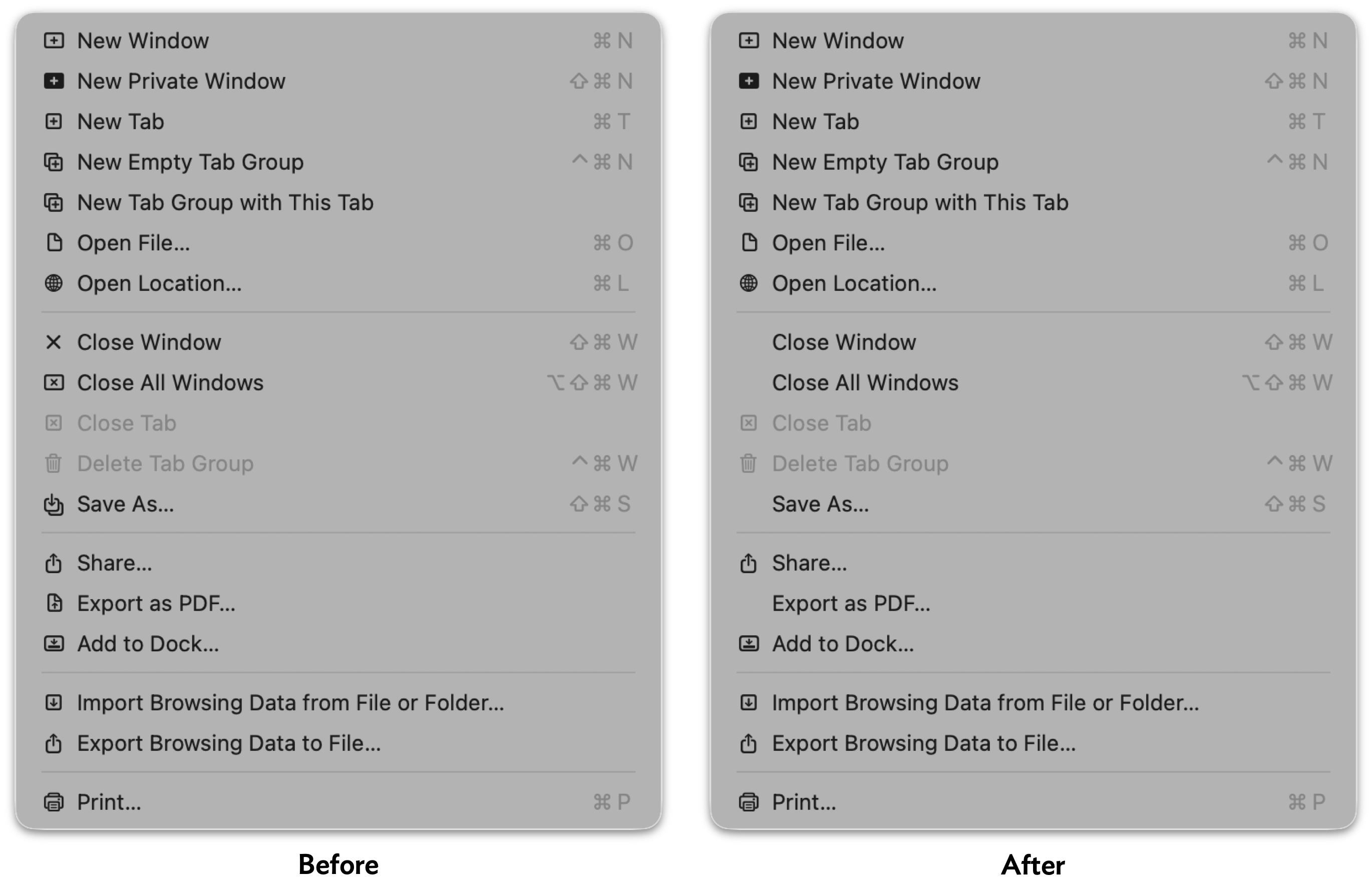
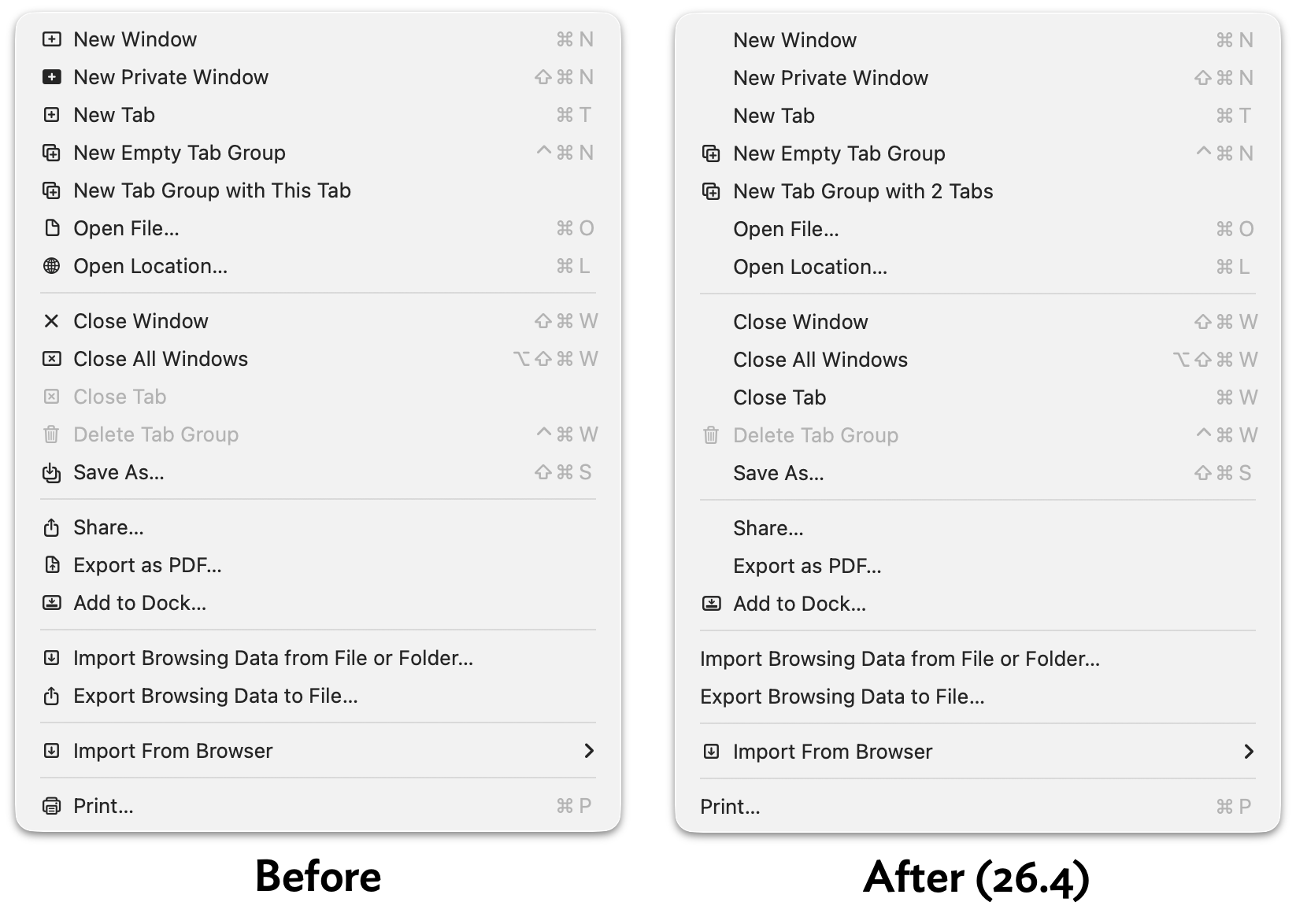
Just this week I wrote about a hidden defaults preference you can set to turn off most of the insipid menu item icons in most of Apple’s first-party apps in MacOS 26 Tahoe. I bemoaned the fact that Safari — generally an exemplar of what makes a great Mac app a great Mac app — generally ignored this setting, leaving most of its menu item icons in place. I am delighted to report that that’s fixed in MacOS 26.4. With the preference set to hide these icons, Safari now only shows a handful.

Here’s a link to the screenshot of the old before/after, taken on MacOS 26.3.2. Boo hiss. Here’s the new before/after, taken on MacOS 26.4:

Screenshot of Safari's File menu on MacOS 26.3 Tahoe, before and after changing the hidden `NSMenuEnableActionImages` preference. In the before screenshot, every menu item has an icon. In the after image, the only items with an icon are New Empty Tab Group, New Tab Group with 2 Tabs, Delete Tab Group, Add to Dock…, and Import From Browser.

In Tahoe 26.3 (and presumably, earlier versions of Tahoe), 16 of 19 menu items in Safari’s File menu still showed an icon with this setting enabled. In 26.4, only 5 of 19 do.1 The rest of Safari’s other menus have been updated similarly, and look so much better for it.

It’s interesting to me that Safari was updated to support this hidden preference in 26.4. I take it as a sign that there’s a contingent within Apple (or at least within the Safari team) that dislikes these menu item icons enough to notice that Safari wasn’t previously recognizing this preference setting. (And I further take it as a sign that within Apple’s engineering ranks, the existence of this defaults setting is widely known.) Keep hope alive.

Now the Bad News

Another recent Tahoe-related tip I’ve been writing about was using a device management profile to block the prompts in System Settings → General → Software Update to “upgrade” from MacOS 15 Sequoia to 26 Tahoe. I first wrote about it a month ago, linking to a post from Rob Griffiths. I then wrote about it again, just this week, linking to a YouTube video from Mr. Macintosh.

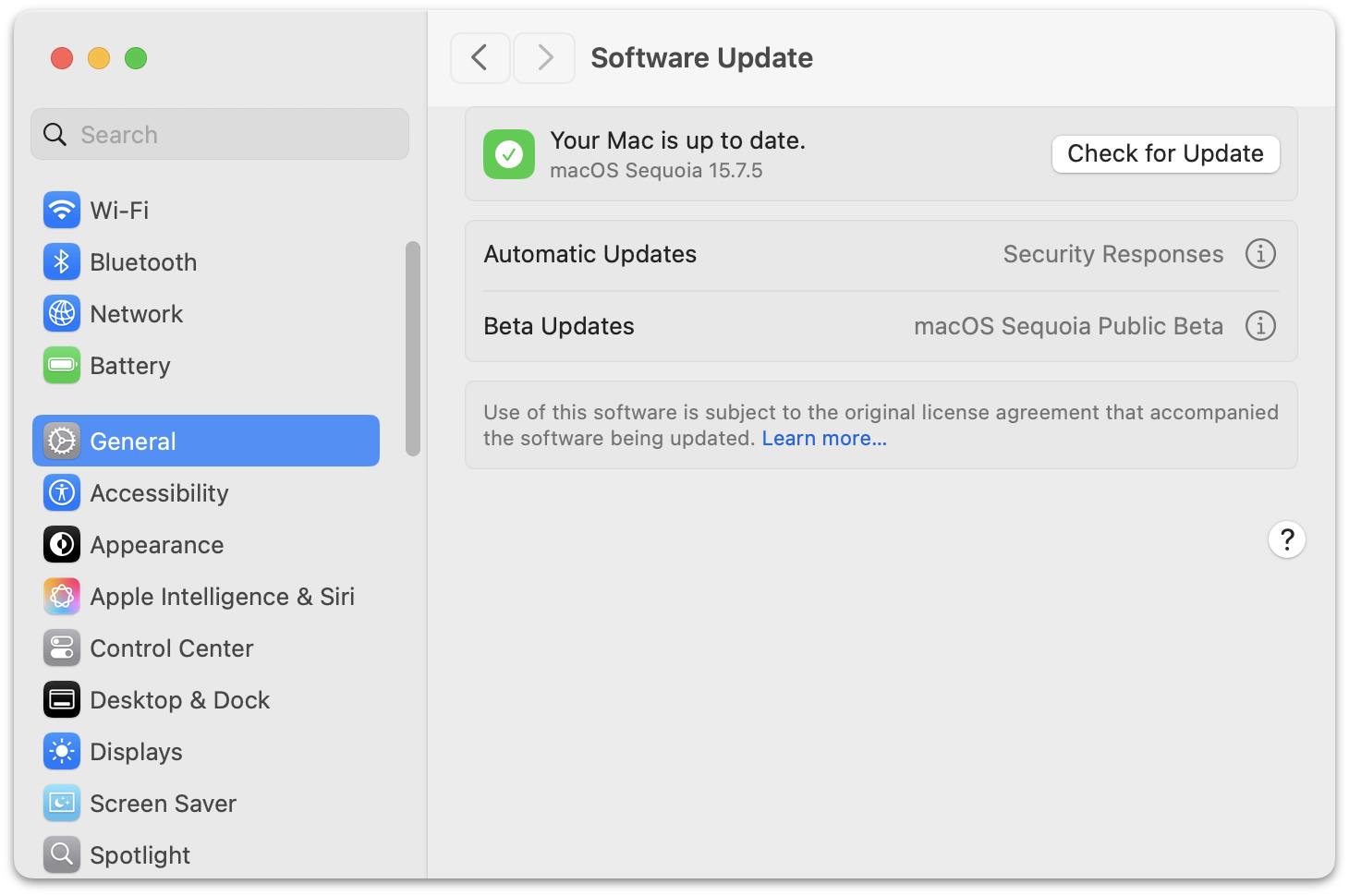
Ever since this technique started making the rounds, there was widespread commentary that it was taking advantage of a bug, not a feature, in MacOS 15 Sequoia. The 90-day “deferral” period to block the Tahoe update prompts was supposed to be from the date of the Tahoe major release (26.0), not from the most recent minor release. Welp, with this week’s release of MacOS 15.7.5, this bug is fixed, and Tahoe shows up in the Software Update panel in System Settings even if you have one of these device management profiles installed. Alas.

All is not lost, however. The same video from Mr. Macintosh shows a second, slightly less elegant way to banish all signs of Tahoe in Software Update (just after the 9:00 mark). The trick is to register your Mac for the MacOS Sequoia Public Beta updates (or the developer betas). This blocks all signs of Tahoe. You don’t actually have to install any future betas of Sequoia (at the moment, there are none available). Just make sure you have Automatic Updates disabled too. I’d rather risk inadvertently installing a public beta of 15.8 Sequoia than inadvertently “upgrading” to Tahoe.


  1. In my article earlier this week, my screenshots showed only 18 menu items in Safari’s File menu, not 19. That’s because I took those screenshots on my review unit MacBook Neo, which I’m running in near-default state. Safari’s File → Import From Browser submenu appears in the File menu if and only if you have certain third-party web browsers installed on your system. On my MacBook Neo review unit, I don’t have any third-party browsers installed, so Safari omits this menu item. I snapped today’s screenshots from a different Tahoe machine that has Firefox installed. ↩︎

  • βœ‡Daring Fireball
  • Netflix Raises Prices Again
    Todd Spangler, Variety: Under the new pricing, effective March 26 for new users and rolling out to current customers depending on their billing cycle, Netflix’s Standard plan (which has no ads and provides streaming on two devices simultaneously) is rising by $2, from $17.99 to $19.99/month. The ad-supported plan is going up a buck, from $7.99 to $8.99/month, and the top-tier Premium plan (no ads, streaming on up to four devices at once, Ultra HD and HDR) is increasing from $24.99 to
     

Netflix Raises Prices Again

27 March 2026 at 23:43

Todd Spangler, Variety:

Under the new pricing, effective March 26 for new users and rolling out to current customers depending on their billing cycle, Netflix’s Standard plan (which has no ads and provides streaming on two devices simultaneously) is rising by $2, from $17.99 to $19.99/month. The ad-supported plan is going up a buck, from $7.99 to $8.99/month, and the top-tier Premium plan (no ads, streaming on up to four devices at once, Ultra HD and HDR) is increasing from $24.99 to $26.99/month.

I pay the full $27/month because I’d rather cancel Netflix than watch ads, and I suspect I’d notice the difference between 4K and 1080p. But also because money runs through my fingers like water.

❌