Though the updated layout could make multitasking easier, Gurman reports that the folding iPhone won’t run existing iPad apps. Still, Apple is reportedly trying to take advantage of the phone’s larger screen real estate by updating its “core” apps with a sidebar on the left side of the screen. It will also give developers the ability to make the iPhone versions of their apps more iPad-like, according to Gurman.
Hmph. There’s more.
Instead of using Face ID, Apple’s foldable could integrate Touch ID into the device’s side button, as the “front panel is too thin to accommodate the Face ID sensor array,” Gurman reports. That means in place of the pill-shaped housing for the front-facing camera and Face ID, Apple will reportedly add a small-hole punch camera instead. Gurman has previously reported that the foldable could look like two iPhone Airs stuck together.
A few things are running through my mind reading this report.
First, I’m putting my money behind it being called ‘iPhone Duo’. It would really tickle me for Apple to put out a ‘Duo’ and a ‘Neo’ — two Surface product names that Microsoft used and which flopped and was never released, respectively.
Second, this lack of Face ID business really puts a wrench in my plans. I’ve been pretty psyched about replacing my iPhone and my iPad mini with an iPhone Duo. As much as I love my 17 Pro, it’s too big and I think the double-duty device would really work for me. But I don’t think I want to go without Face ID. My iPad mini only has Touch ID in the power button and I’ve never enjoyed that unlocking method. Honestly, it was better in the Home Button.
Third, I haven’t really kept up with the folding iPhone’s rumored specs. I presume each half is going to be thinner than the both iPhone Air and the iPad Pro (Apple’s record-holding thinnest device) since both of those feature Face ID.
Fourth, leave it to Apple to not do the obvious thing and just let the thing run iPad apps. Why make developers go through designing another layout for their iOS apps if the iPadOS versions are right there? We’ll see how the software situation shakes out.
I’ll be pretty disappointed if this thing doesn’t come with Face ID. It’s probably a deal-breaker, even though I’d want to purchase it to show Apple the foldable is a form factor worth pursuing. There’s always the chance they’ll cancel the whole thing if the first one doesn’t sell well. On the other hand, they did just fix the iPhone 16e’s most glaring omission — MagSafe — year-over-year with the 17e. There’s hope.
A weekly list of interesting things I found on the internet, posted on Sundays. Sometimes themed, often not.
1️⃣ That screamy sound you hear when peeling tape? It’s a ‘sonic whisper’ from tearing at twice the speed of sound! [🔗sciencealert.com]
2️⃣ Craig Mod built the accounting software of his dreams, fitting his exact international needs, and which can be adapted with Claude Code as needed. Sounds amazing. [🔗craigmod.com]
3️⃣ Chris Coyer argues that web forms should always automatically email you a copy of your submission. I agree, though I wouldn’t be opposed to it being optional, as long as the default is for the copy to be sent. [🔗email-is-good.com]
4️⃣ Terry Godier’s essay about how all the objects in our our lives have steadily stolen more of our attention, and made us feel guilty about it is excellent As is it’s web design. You gotta read this one in its original form. [🔗terrygodier.com]
5️⃣ Stephen Hackett (via James Thomson) shared some incredible 5K wallpapers featuring Lil Finder Guy. I love how the Lil Guy’s taken the Mac community by storm. [🔗512pixels.net]
6️⃣ I thought tweet from Caleb Sexton was a joke about Kagi having ‘LinkedIn Speak’ as a language that you could translate into. It’s not a joke. It’s real. [🦣mastodon.social]
7️⃣ D. Griffin Jones did the thing and put an episode of the Connected podcast onto a floppy disk. Incredible commitment to the bit! [🦣tech.lgbt]
Thanks for reading 7 Things. If you enjoyed these links or have something neat to share, please let me know. And remember that you can get more links to internet nuggets that I’m finding every day by following me @jarrod on the social web.
Just finished up a project that I’ve been meaning to get to for a year: bringing ADK Climb Club to the open web.
We’ve had a landing page on Micro.blog for a while, but all the info about our meetups was going out via Instagram and WhatsApp. But not everyone wants to use those apps, and I heard from them! So, I buckled down and imported all the old posts, and hooked up my auto-crossposter.
Now, everything that we post to Instagram shows up on our website as a native, web-friendly blog posts. And I enabled email subscriptions (free, thanks to Micro.blog!), so folks can get an email each time that we share information about a meetup.
Although Instagram is still our “primary” platform — that’s where our biggest audience is and where we pick up new members — I feel much better about the club being more accessible on the open web, and that people can stay in the loop with posts pushed out to them without having to sign up for a Meta app.
If you’re a climber (or are climbing curious) and near Lake Placid, NY on a Wednesday night, you should come check us out!
The Mac Pro got one last update in June 2023, when Apple dropped the Intel version for one with an M2 Ultra inside. It’s been languishing again ever since.
Uninstalling apps on macOS is not as easy as it should be.
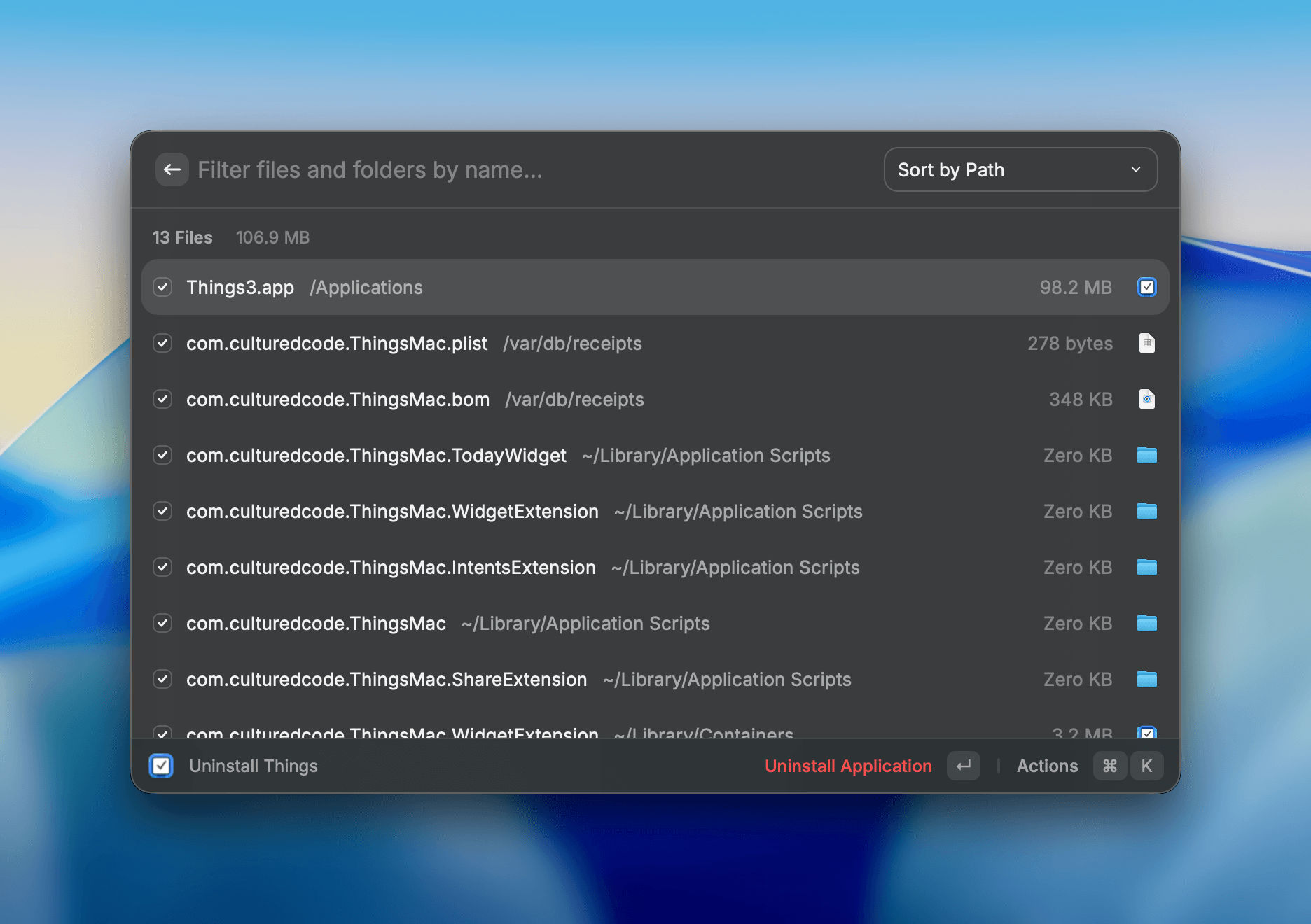
Yes, I know, I know that you can just drag an app to the trash and technically it’s gone. That’s what Apple recommends doing in its video. But then why do are apps like Raycast, CleanMyMac, and AppCleaner able to find leftover files scattered around your system by the deleted app? Maybe it’s just the completionist in me, but I don’t want those files left behind!
Look at all these extra files that would be left behind if I just sent Things to the trash! (Don’t worry, I’m not ditching Things.) ⌘
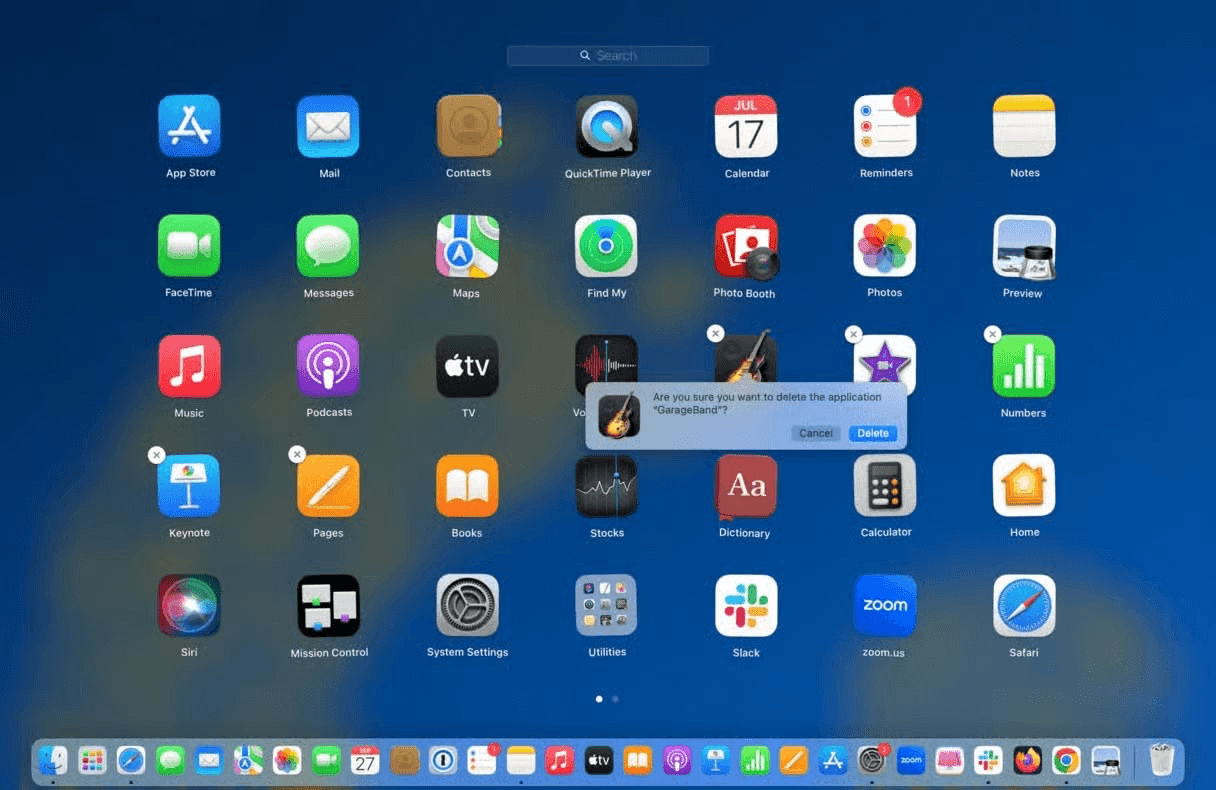
One thing — the only thing? — I liked about Launchpad was that it made it super obvious how to uninstall (Mac App Store) apps.1 Just like on your iPad/iPhone, you could click and hold on the app’s icon to send it into “jiggle mode” and then click the ‘X’ would remove it. I could be confident that all the app’s associated bits and bobs would be removed from my system.
But that changed with Tahoe. While Spotlight got a huge boost in capability as a whole with clipboard history and actions, it also subsumed Launchpad’s role as the main, well, launcher for apps. But there are no affordances in Spotlight for removing apps like Launchpad had.
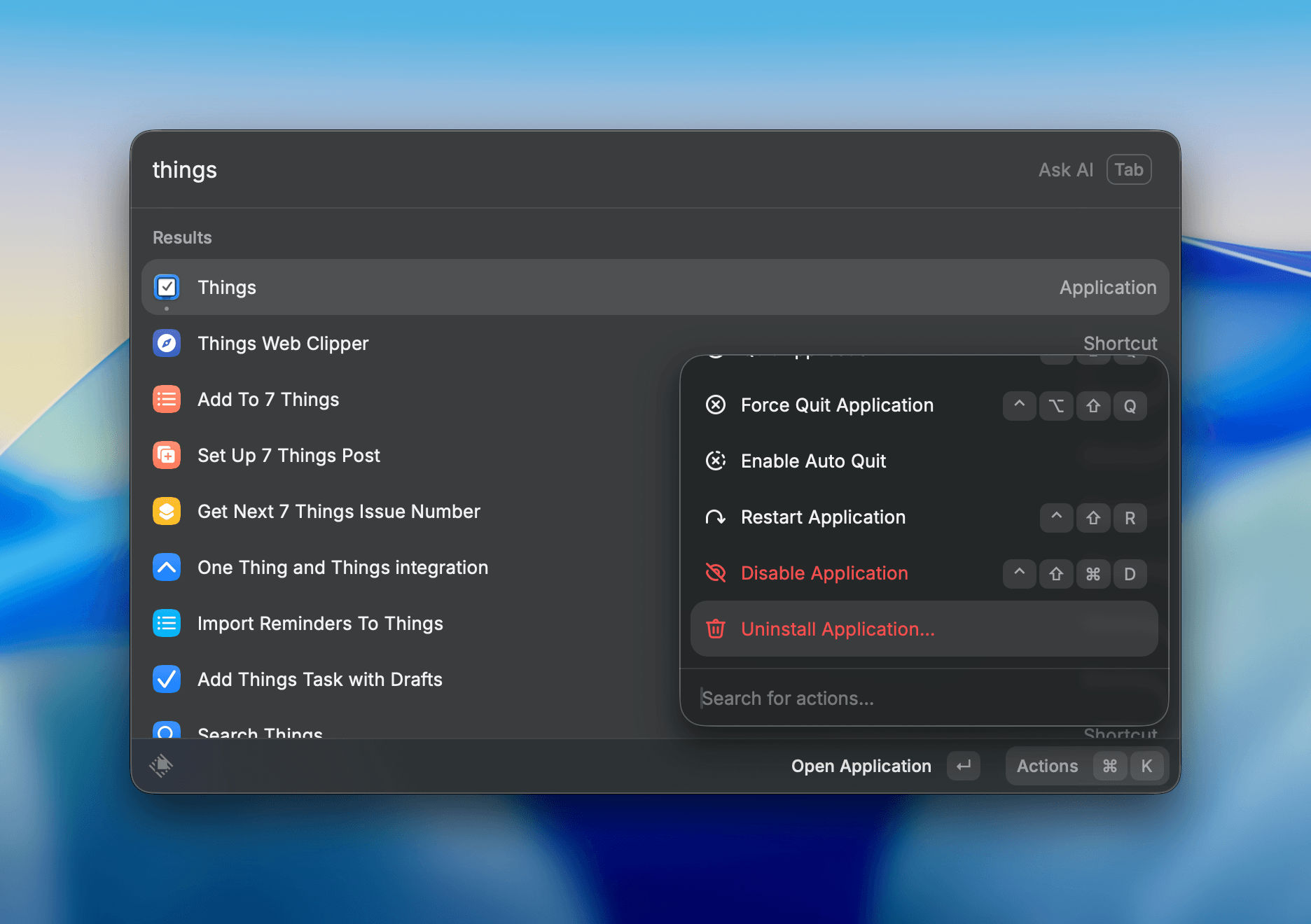
AppCleaner was my go-to tool back in the day, but now I use Raycast to get the job done with confidence. Raycast’s implementation could offer some inspiration for Apple. After searching for an app within Raycast, a simple ⌘K shortcut reveals a host of actions that can be taken on the app. You can open an app, reveal it in the Finder, quit it, and, yes, uninstall it — among other things.
Searching for these actions is an extra nicety in Raycast. ⌘
Apple could follow this model and provide an ‘Uninstall App’ action to take within Spotlight.
Spotlight’s interface, seeing as it replaced Launchpad, should offer the same capability for removing apps. And it should be as thorough as on an iPhone or iPad.
P.S. I also occasionally use Raycast to quit apps that stubbornly have no icon in the Dock or menu bar and therefore make it tricky quit completely.
Apps installed outside of the Mac App Store would not display the ‘X’ to remove it. You had to do it the “old fashioned” way of dragging the app to the trash and then hunt down its system files.↩︎
A weekly list of interesting things I found on the internet, posted on Sundays. Sometimes themed, often not.
1️⃣ iWeb lives! Sort of. If you have an old Mac. But Corbin Davenport made an iWeb website just a few months ago and, honestly, it looks pretty awesome. [🔗iweb.corbin.io]
2️⃣ Manton Reece shared a letter that his mother wrote to her mother many years ago while she (and Manton) lived in Greece. A lovely snapshot in time. [🔗manton.org]
3️⃣ Alpinesavvy shared a story about drinking water that has me thinking about the counterproductive choices I make. [🔗alpinesavvy.com]
4️⃣ The first use of “Wendy” as a first name was in Peter Pan. We still don’t know what it was short for! [🔗wikipedia.org]
5️⃣ Rands did the work and made incredible data tables with all the good charging/charger brick information for modern Apple devices. [🔗randsinrepose.com]
6️⃣ Todd Vaziri shows why having only two dots instead of three to represent outs in a baseball score graphic is just wrong. Looking at you, Netflix. [🦣mastodon.social]
7️⃣ The Midleton Mule was a featured drink at our St. Patrick’s Day meal and I can’t stop thinking about it. It was so fresh and delightful. Gonna have to make it at home! [🔗gelsons.com]
Thanks for reading 7 Things. If you enjoyed these links or have something neat to share, please let me know. And remember that you can get more links to internet nuggets that I’m finding every day by following me @jarrod on the social web.
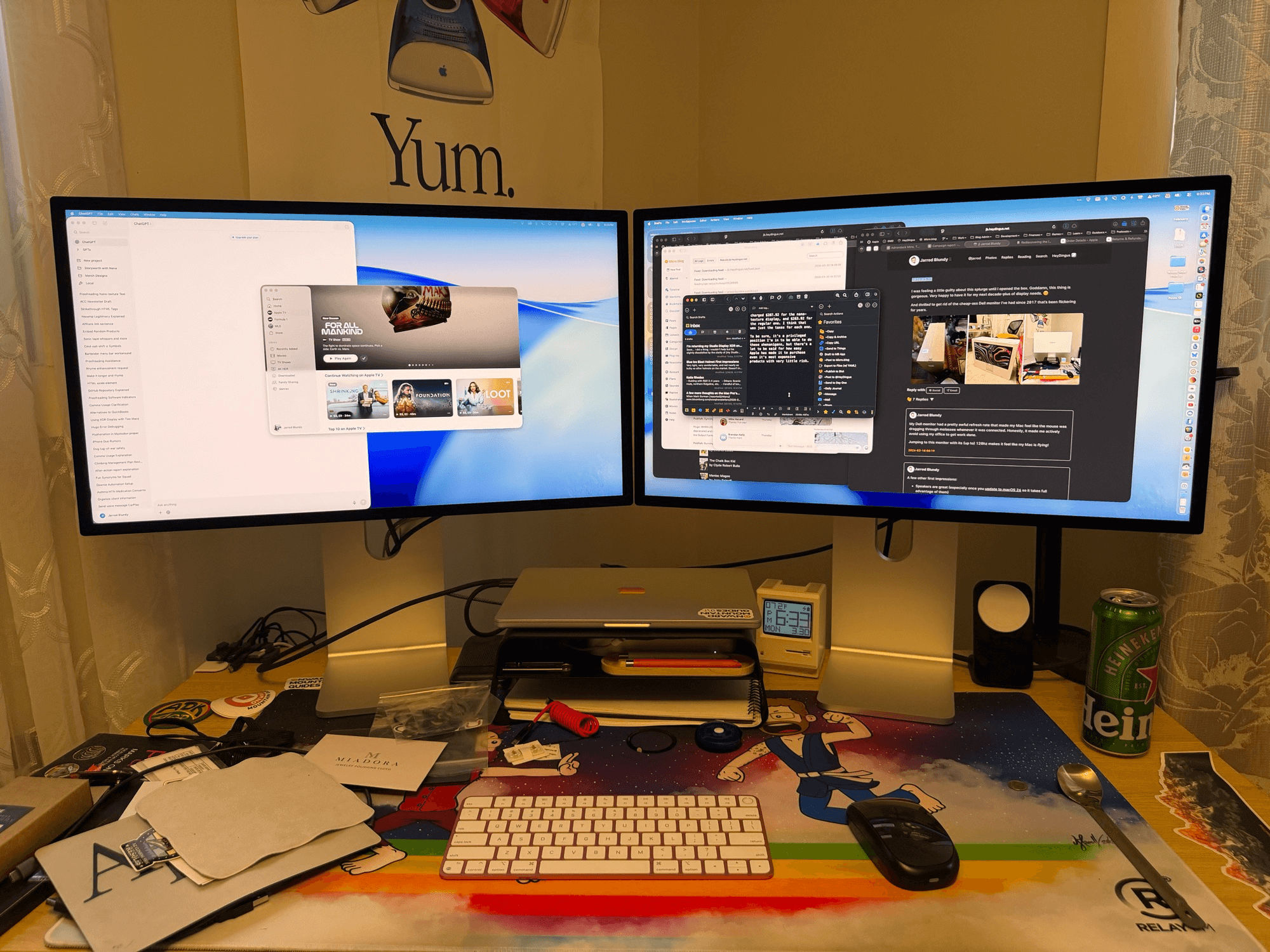
Sooo… I did a thing. I couldn’t help but be slightly dissatisfied by the clarity of my Studio Display XDR’s nano-texture display. It just made everything look a little less than Retina-quality. And for this price, I don’t want to have lingering regrets each time I use it.
It came in today. I set it up about 30 minutes ago. I put the two displays side by side and… it’s no question. The nano-texture is going back.
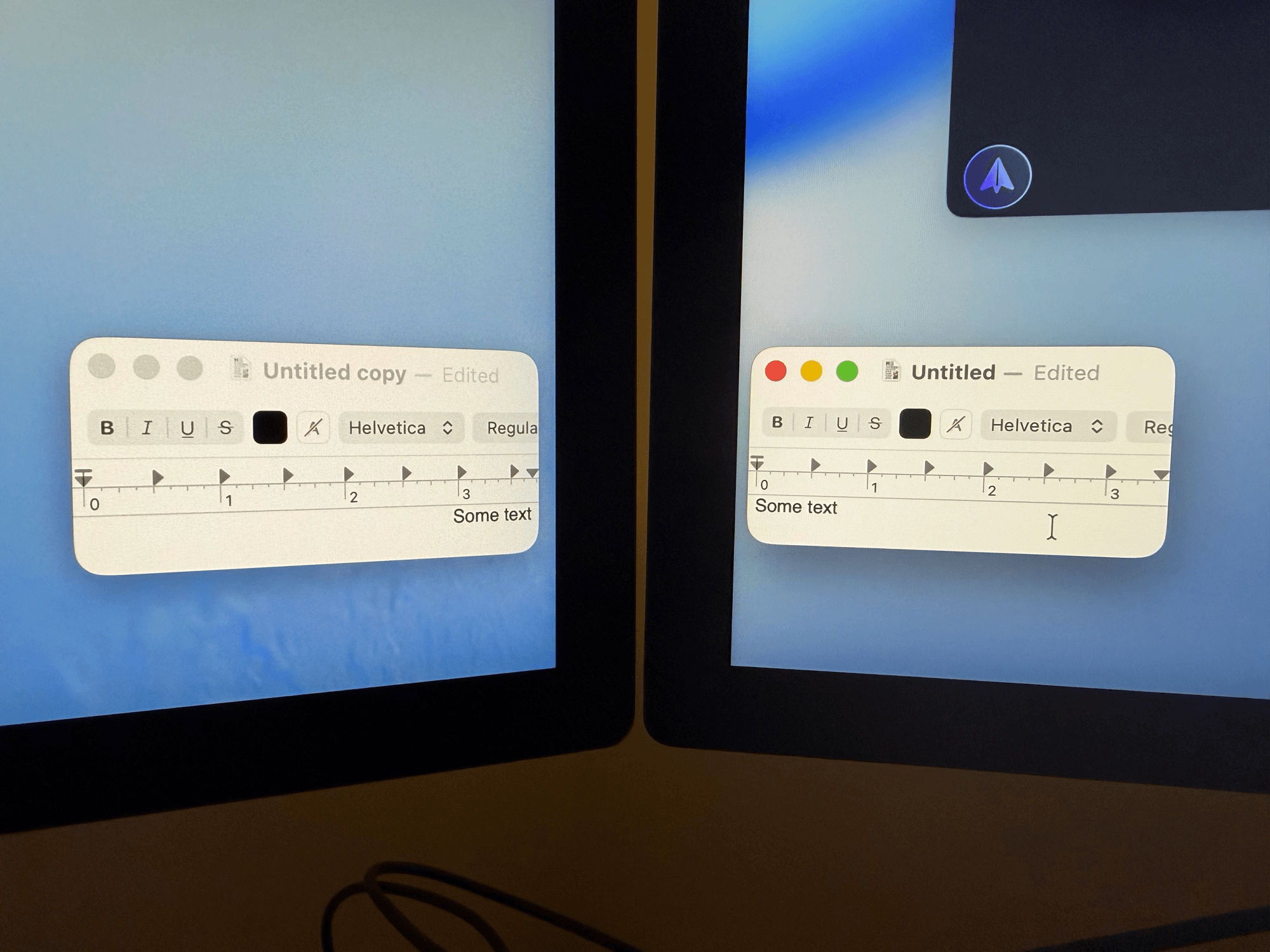
Showing the same content on each display, at the same brightness level, I can absolutely see the fuzziness introduced by the “matte” display.
This is probably not going to come out in the photo, but here’s an example of the nano-texture (left) and glossy display (right) with the same content. ⌘
It’s not that nano-texture is all bad. I love how it looks when the display is dark — there are zero reflections.1 But the point is to enjoy it while the display is on. Without nano-texture, everything is as crisp as I had hoped. I tend to lean toward the display when I’m concentrating, and even close up, the display is razor sharp.
I technically have until April 9th to send back the nano-texture XDR, but, honestly, I think I’m going to package it up tonight.
Well… maybe tomorrow. I might as well enjoy having 10k pixels of display at my disposal while I can.
The very temporary (but very nice) $6900 display setup. 😳⌘
A note on Apple’s return period
If I hold onto the original display until the last day that I can send it back, I will have had it for 24 days. That’s a full 10 extra days beyond the stated 14-day return period. It’s possible that I could have squeezed in even a few more days by initiating the return today, the 14th day after it was delivered, instead of the 11th.
With that in mind, one could get nearly a month of use for testing and comparison of Apple’s products, with the ability to return it (free shipping both ways) for a full refund. That’s serious commitment to customer satisfaction, and one area where Apple’s standards haven’t slipped.
To boot, by paying with Apple Card’s Monthly Installments (which allow you to pay for an item over 12 months with 0% interest), I’ve only been charged $287.92 for the nano-texture display, and $263.92 for the regular one. I think that was just the taxes for each one.
To be sure, it’s a privileged position I’m in to be able to do these shenanigans, but there’s a lot to be said for how easy Apple has made it to purchase even it’s most expensive products with very little risk.
If I were in an environment with light sources behind me, my decision might be very different. I think there’s definitely a place for this non-reflective display — it’s just not in my home office.↩︎
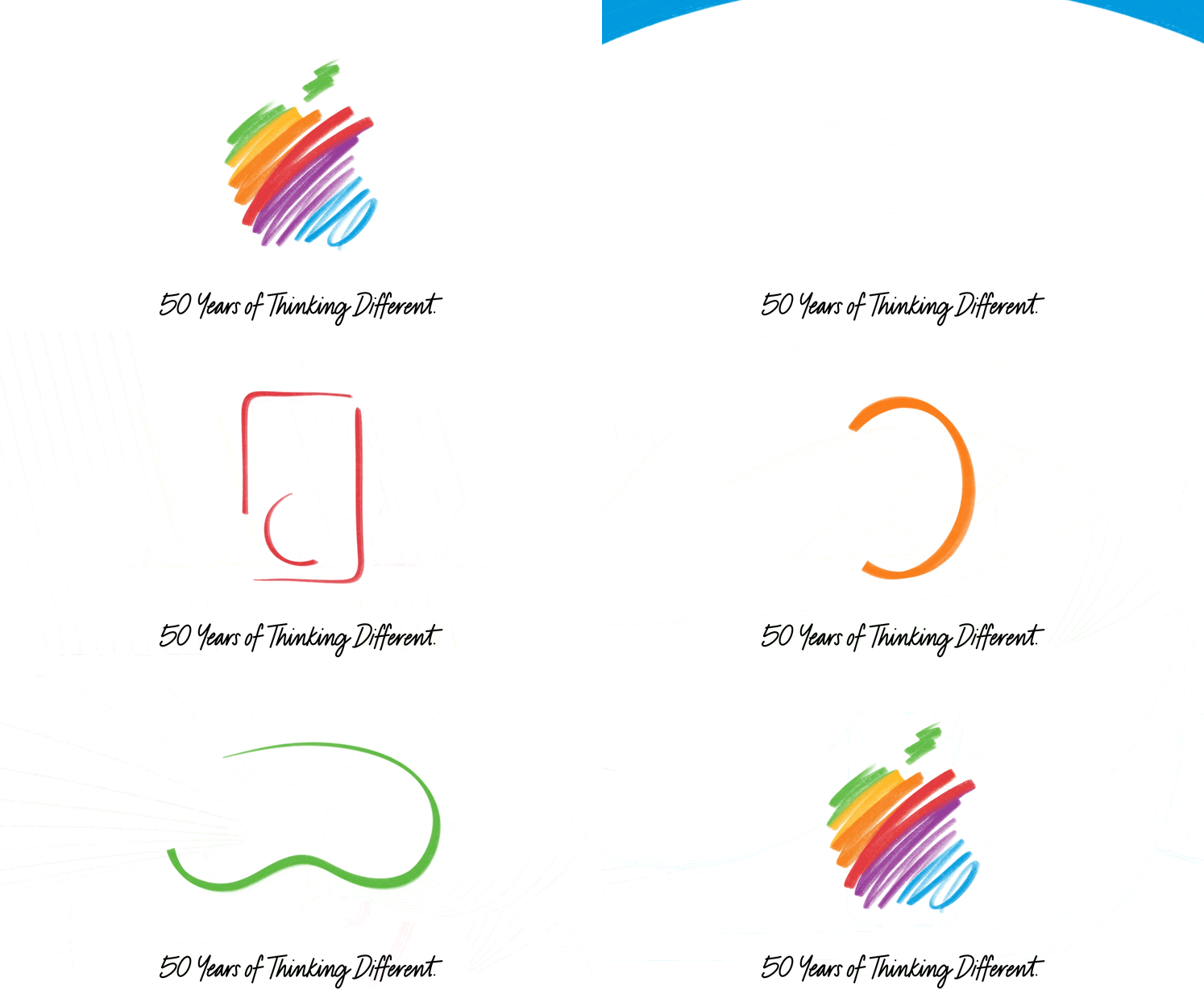
As I reflect on why we even care that a computer company has been around for five decades, I keep coming back to the fabled challenge that Steve Jobs gave to John Sculley as he tried to woo him into becoming Apple’s CEO:
Do you want to sell sugar water for the rest of your life, or do you want to come with me and change the world?
Somehow — I sure couldn’t have — Sculley turned him down, at least at first. But eventually he, and thousands of other people — developers, engineers, marketers, retail staff, artists — answered that call to put a dent in the universe.
Apple’s not a perfect company. I’ve been less enthused by some of its actions and inactions in its latest years. I hope they do better. But as a whole, I still find myself inspired by the products they make.
No, actually, that’s not quite right. I’m not inspired by the products. I’m inspired by the attention to detail, the exquisite taste, the enormous effort, and the giving a damn by the people who make them.
Sure, they just make computers. Hardware, software, and services melded together into computers of different shapes and sizes. But what attracts me to Apple’s computers is that they — unlike the computers from nearly every other company in the market — carry with them the spirit, or DNA as Jobs would say, of the people that built them.
From the iPod nano, to the iMac and macOS, to the iPhone, the iPad, the Apple Watch and AirPods, and, yes, the Vision Pro. There’s something about each of these products that ignited curiosity in me. What could I do with them? I sit here, typing these words on a MacBook in my car while traveling across a lake on a ferry, connected to the internet through Wi-Fi (which Apple helped birth) tethered to my iPad. I’ll publish it to the World Wide Web (invented on Jobs’ NeXTSTEP, which would serve as the foundation for Mac OS X) on a website themed and named to pay tribute to Apple.
I spent my youth expanding my taste with an iPod and iTunes. I took notes and studied in college with an iPad. I launched my business and keep it running with a Mac. I track my runs and pay for almost everything using my Apple Watch. My favorite TV shows are the ones that Apple produces. If Apple made shitty things, I would look elsewhere. But, so far, they keep making wonderful things.
It’s been fun to look back at how far Apple has come — from two guys selling 50 computers to their local Byte Shop, to one of the largest and most successful companies with billions of devices in use by people across the globe. But now I’m most excited to see what they’ll do in the next 50 years. 
I’ll update this post with quotes from other articles and retrospectives that make me smile as I come across them. Hope you enjoy them too.
Apple doesn’t settle for fine, functional, or good enough in its hardware (and thanks for your incredible work on that). We love making and using products that aren’t just great, but greater than they need to be, always raising the bar of greatness for its own sake. Software, services, revenue sources, and world impact need to be held to that same standard.
In weird coincidences, my kid is almost exactly as old today as I was when Steve Jobs announced the Macintosh.
Matt Birchler blogged about his most memorable product announcements:
I also think about the events where Apple announced their transition from PowerPC to Intel, and then a decade and a half later, Intel to Apple silicon. I think these announcements are just quintessential Apple to me, because from the moment until those events happened, Apple would proudly state how fast and battery efficient their computers were,. Then at the announcement they’d say, “Oh my god, it’s been so bad, now we have a solution.” And for what it’s worth, in both cases it was exactly the right decision.
Stephen Hackett wrote a nice piece about how Apple’s modern tech would have astounded its early team, as well as some personal reflections on how Apple’s tools have shaped his life:
Gone are the days of hand-building computers, replaced by one of the world’s most intricate supply chains. The A18 Pro just beneath the keyboard of the MacBook Neo I am typing on would astound the men and women who worked on the original Macintosh. If the dreamers who designed the Newton were handed an iPhone Air, their heads would explode. Showing someone in the garage a photo of Apple Park would have brought work to a halt for the day. […]
I don’t know what the next half-century looks like, but I’m betting Apple remains a constant — delivering the tools I use to create and cultivating the joy that comes with using a well-made product.
I launched my business on a Mac. For many years, I ran it using my iPad Pro, and all the while I’ve used my iPhone for everything in between. But for me, it’s not just about using these products — my business has also depended on Apple making them. What I create is about them.
My interest in technology has always been broad, but what I’ve always cared about most is whatever Apple is making. It’s been that way since I was 18 years old and got my first Apple product — the iPod mini — and it remains that way to this day.
Parker Ortolani has been an Apple fan for as long as he can remember, and is thankful to the people who built the company into what it is today:
I first experienced the magic of Apple when my dad showed me Photoshop on his PowerBook G3 Pismo as a little kid. This seminal moment birthed not just my love for Apple, but my fascination with technology, design and creativity. I’d see multi-colored iMacs in his office, at my cousins’ homes, and there were iBooks galore. We’ve been a Mac family since before I was born. […]
So here’s to the crazy ones. Here’s to the Steves. Here’s to everyone who has contributed to the products that changed my life. Here’s to 50 more years of an idea that’s so much bigger than a computer company. Stay hungry. Stay foolish.
After sharing how the Apple Watch got him to focus on his fitness 10 years ago, Zac Hall closed his story with this thought about how Apple’s biggest contributions have been made in its later years:
As Apple turns 50 now, it’s also impressive to think about what difference the company still had to make at 40.
Since the release of the iPhone, Apple has been on a rocketship ride. The company Tim Cook took over just as Steve Jobs passed away was a fraction of the size of the Apple of today. Apple has more customers than ever, and the Mac–a 42-year-old product!–is the biggest it’s ever been.
The reason I became an Apple customer wasn’t nostalgia. It was the opposite. Apple’s thing has always been an unrelenting focus on what’s next. What’s the best product we can make right now? What problem can we solve tomorrow? That restlessness is what made them interesting and what kept me buying their stuff year after year.
A 50th birthday celebration is great. A 50th birthday year where every keynote opens with a sepia-toned montage? Less great. Apple is at its best when it’s building the future, not curating the past.
Thanks for reading 7 Things. If you enjoyed these links or have something neat to share, please let me know. And remember that you can get more links to internet nuggets that I’m finding every day by following me @jarrod on the social web.

 Login
Login